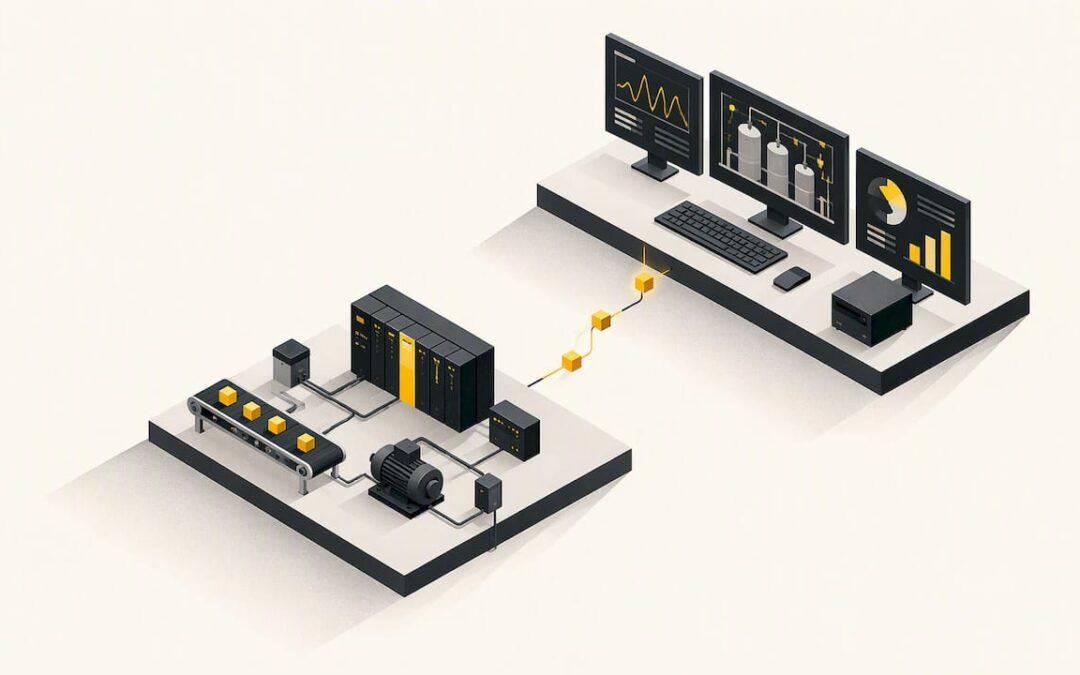
A good SCADA training course teaches you how supervisory systems collect data from controllers, show it to operators, raise alarms and send commands back. It also gives you lab time on real or simulated software. Pick one based on the platform you will actually work with, the format you can finish, and whether it includes hands-on practice. The rest of this guide shows you how to judge each of those.
TL;DR
- A solid SCADA course covers components, architecture, data acquisition, control strategies, security, and hands-on work with graphics, alarms and trends.
- Match the course to your platform. A plant running Rockwell software needs different practice than a utility running another vendor’s package.
- Self-paced online training fits busy schedules. Instructor-led or blended formats suit people who need feedback and discussion.
- Free options exist, including vendor-run software courses and federal industrial cybersecurity training. They are good starting points but rarely coach you through your own problems.
- PLC fundamentals come first for most people. SCADA makes far more sense once you can read ladder logic and understand tags.
Table of Contents
- What a SCADA training course should teach
- Who benefits, and what to know first
- Self-paced online, instructor-led or blended
- Online SCADA courses: what you need to practice
- Free SCADA training and credentials
- How to judge a SCADA course before you pay
- Our perspective: start with the controller
- Build the PLC and HMI foundation with us
- A practical learning path
- FAQ
- Sources
What a SCADA training course should teach
SCADA stands for Supervisory Control and Data Acquisition. The software sits above the controllers (PLCs and RTUs), polls them for data, draws that data as screens, logs it, and lets operators act on it. A course should cover that whole chain, not only screen design.
Community college catalogs show what a sound curriculum looks like. Waukesha County Technical College describes its introductory course as covering system components, architecture, applications, data acquisition, control strategies and security considerations, taught through lectures, discussions and hands-on exercises in system design and operation.
A more software-specific example comes from Northcentral Technical College. Its SCADA Systems 1 course has learners organize and develop FactoryTalk View Site Edition applications, build graphic displays, configure alarms and security, trend data, and test with a client, using RSLinx Enterprise for communications.
Put those together and you get a useful checklist. Before you buy, look for each of these in the syllabus:
- Architecture. Field devices, controllers, communications, servers, clients, and how they connect.
- Tag and data handling. How a PLC address becomes a SCADA tag, how scan rates work, and what happens when communication drops.
- Graphics and navigation. Building screens that an operator can read at 3 a.m.
- Alarms. Priorities, acknowledgment, nuisance alarms and how to keep an alarm list usable.
- Trending and historical data. Logging, viewing and exporting process values.
- Security and users. Roles, permissions and the basics of protecting a control network.
- Testing. Running a client against your application and proving that it works before it goes live.
If a course page lists only theory and definitions, expect to finish it without being able to build anything.
Who benefits, and what to know first
SCADA training pays off for several kinds of people:
- Controls and automation engineers who design or extend supervisory systems.
- Maintenance technicians who troubleshoot why a screen shows a bad value or a communication fault.
- Operators and supervisors, especially in water, wastewater and utilities, who are moving toward management and want to understand the system they run.
- Students building a résumé for an automation technician role.
- Companies that want a team to share one vocabulary and one way of working.
Prerequisites vary. Some college programs expect earlier coursework: Waukesha County Technical College lists a prerequisite course with a minimum grade of C for its three-credit introduction. Short online courses usually ask for no formal background, but you will get more from them if you already know three things: basic electrical concepts, how a PLC scans its program, and what a tag or address is.
If those are fuzzy, start with PLC training and come back. SCADA is mostly a window into controller data. When you do not know how the controller produces that data, every fault looks mysterious.
Self-paced online, instructor-led or blended
The format matters as much as the content. A U.S. government evaluation of training delivery distinguishes self-directed asynchronous learning, where people finish training on their own time, from instructor-led classroom training that can include lectures, exercises, group discussions, guided practice and case studies. The same report advises choosing the format from the learning objectives and content, and notes that blended learning can improve retention and real-world application.
Translated into practical terms:
| Format | Best for | Watch out for |
|---|---|---|
| Self-paced online video | Shift workers, people learning a specific tool, anyone on a tight budget | No one to ask when you get stuck; easy to stall |
| Instructor-led (live) | Teams, people who learn by discussion, complex architecture topics | Fixed schedule, higher cost, travel for in-person classes |
| Blended | Career changers and companies that want both flexibility and feedback | Needs a provider that actually offers both parts |
A simple rule: use self-paced material to learn the mechanics, then add a live element, such as coaching or a class, when you need someone to review your work or explain why something behaves as it does.
Online SCADA courses: what you need to practice
Watching someone else click through a SCADA package teaches very little. Practice is the whole point, so check how the course gives you lab access.
There are three common approaches:
- Software you install yourself. Some vendors offer free or trial versions. This gives the most realistic experience but takes setup effort and a capable computer.
- Simulation. MiraCosta College’s online Automation Technician program, which covers SCADA and PLCs, uses LogixSim laboratory simulations for hands-on experience, and its self-paced format includes online support, a tutorial and technical support.
- Physical trainers or remote labs. Rare, expensive, and valuable if you need to touch hardware.
Before enrolling, ask four questions. Which software versions does the course use? Do I need a license, and who pays for it? What happens when my project will not run? How current are the lessons? Automation software changes, and a course built on a version no one installs anymore wastes your time.
Free SCADA training and credentials
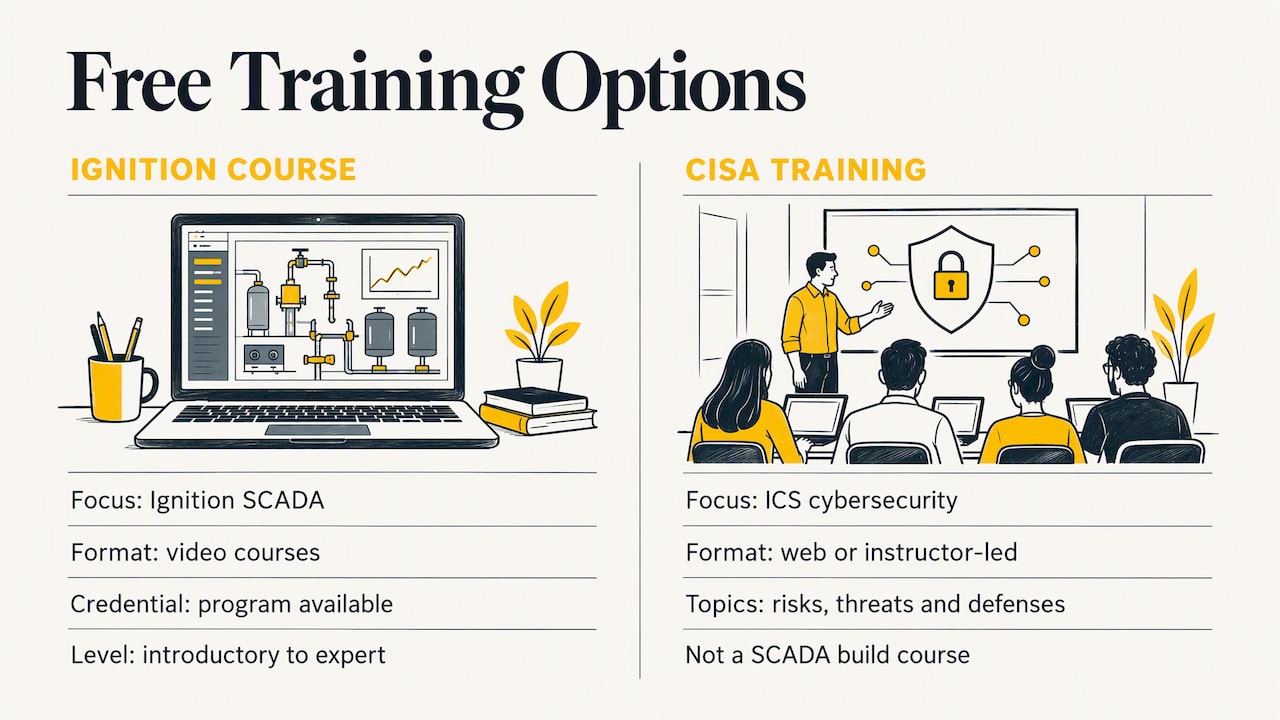
You can learn a surprising amount for nothing. Two kinds of free training stand out.
Vendor-run software courses. Some software makers publish free online catalogs with credentials. One university-listed example describes a free online platform for learning Ignition SCADA with video courses, knowledge checks and a credential program, from introductory to expert level and with no prerequisites. These are excellent if your employer uses that platform. They teach one product’s way of working, so check that it matches your job market.
Federal cybersecurity training. CISA offers free industrial control systems cybersecurity training through on-demand web courses and instructor-led options. Listed topics include ICS components and deployments, how IT and ICS interact, risks, threats, vulnerabilities, attack methods and defense-in-depth. It is not a SCADA build course, but it covers the security chapter that many programming courses treat lightly.
What free courses seldom give you is feedback. Nobody reviews your alarm philosophy, and nobody tells you why your tags show bad quality. That is the gap paid coaching and structured programs fill.
How to judge a SCADA course before you pay
Use this list on any course page, including ours.
- Is the syllabus specific? Named topics, named software, named exercises. Vague promises like “master SCADA” are a warning.
- Does it end with something you built? A working project beats a quiz score.
- Is the platform one employers use? Look at job postings in your region and industry. Water utilities, manufacturing plants and oil and gas operations lean on different packages.
- How do you get help? Email, forum, live sessions or coaching. Find out the response time.
- Is it current? Check the software version and when the content was last updated.
- What does it really cost? Include software licenses, hardware and any exam fees, not only the course price.
- Does the certificate matter? For most jobs, a portfolio and a clear explanation of what you built count for more than a completion certificate. Treat certificates as proof you finished, not proof you can do the work.
A worked example: say you are a maintenance technician at a plant with Allen-Bradley controllers and a FactoryTalk operator interface. A generic theory course on SCADA architecture gives you vocabulary but little you can use on Monday. A course that has you build screens, configure alarms and test communications on the same family of software pays back right away.
Our perspective: start with the controller
We teach PLC and HMI systems, and the pattern we see is consistent. People sign up for SCADA training hoping to fix a screen problem, and the real problem sits one layer down: a tag mapped wrongly, a data type mismatch, a communication path that was never tested. Learners who understand the controller solve those problems in minutes. Learners who do not can spend days looking at graphics.
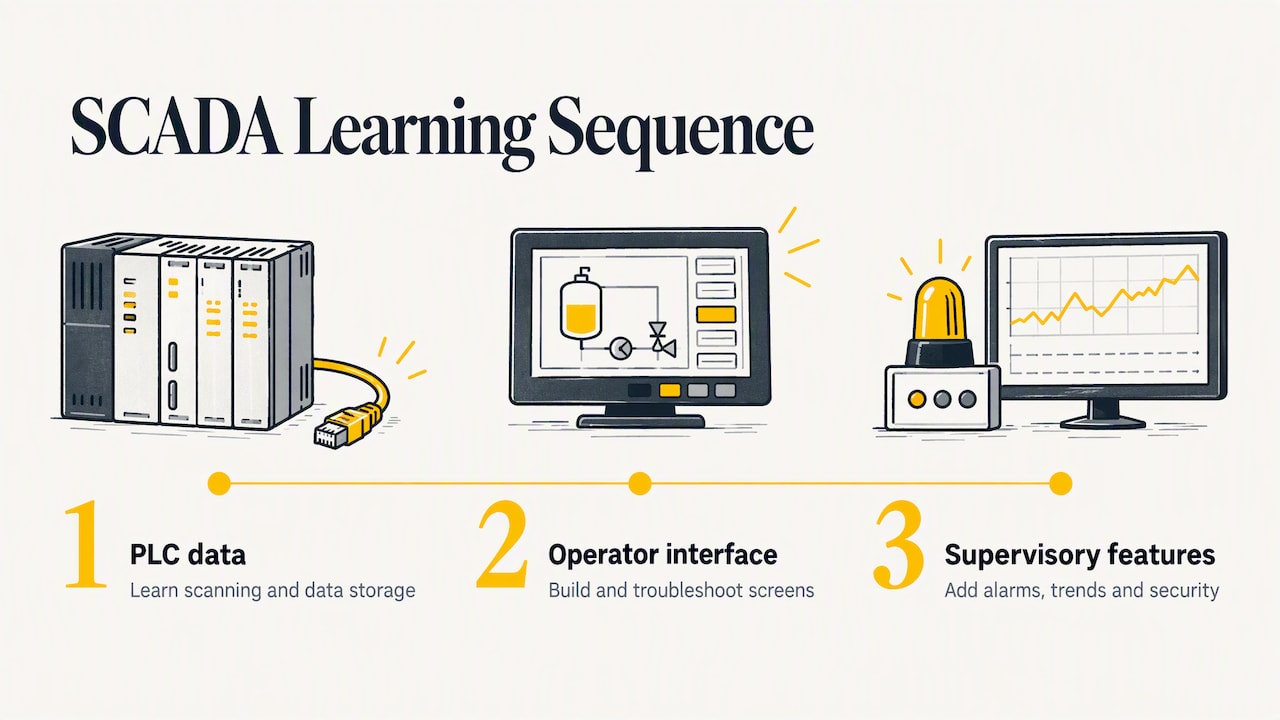
That is why our training is built around real-life examples and practical techniques in industry-standard software such as RSLogix 500, RSLogix 5000, Studio 5000 and FactoryTalk View Studio, and why we keep the content up to date. We think a good course should be clear, structured and affordable, and should work for beginners and experienced technicians alike. Our advice: learn how a PLC scans and stores data, learn to build and troubleshoot an operator interface, then add supervisory features such as alarms, trends and security on top. Each step makes the next one easier.
If your goal is supervisory work on a different vendor’s platform, the same foundation still applies. Logic, tags and communications are concepts that carry across brands.
— User
Build the PLC and HMI foundation with us
If you want hands-on practice with the controllers and operator screens that sit under every SCADA system, our PLC training courses cover Allen-Bradley programming, FactoryTalk View ME, the PowerFlex 525 drive and servo motion, all as on-demand video lessons. We do not publish prices for these courses on our site, so check the course page for current details.
When you need someone to look at your own project, there are live options. A 90-minute PLC coaching session costs $97, and online PLC coaching starts from $67 per session. For ongoing learning, the Yearly PLC Training Membership is $192 per year, and for teams that would rather hand off the work, our PLC programming services are $140 per hour, with 10-hour and 20-hour project packages at $1,400 and $2,800. Details for all three are on the membership and programming services page.
A practical learning path
Here is a sequence that works for most people, with no fixed timeline because it depends on your hours and background.
- Learn PLC basics. Ladder logic, inputs and outputs, timers, counters, data types.
- Learn one HMI package well. Build screens, bind tags, add navigation and alarms.
- Study communications. Drivers, paths, how devices talk, and what a fault looks like.
- Take a SCADA course on your target platform. Architecture, servers, clients, historians, security.
- Add industrial cybersecurity. The free federal training above is a strong fit.
- Build a small project. A tank-filling or conveyor simulation with alarms and trends makes a good portfolio piece.
- Get your work reviewed. A coach, a mentor or a senior colleague will catch habits you cannot see yourself.
FAQ
How long does a SCADA training course take?
It depends on the type. Short online courses can be a few hours of video, while college courses run a full term and carry credit hours. Choose by the outcome you need: a quick introduction, a platform skill, or a formal credential.
Do I need to know PLC programming before taking SCADA training?
You can start without it, but you will learn faster if you know the basics first. SCADA reads and writes controller data, so understanding tags, addresses and how a PLC scans its program removes most of the confusion. Many learners take a PLC fundamentals course first.
Can I learn SCADA completely online?
Yes, for the software side. Community colleges and private providers offer online programs, and simulation tools stand in for hardware. Physical commissioning experience still comes mainly from working on real equipment, so pair online learning with practice at work or with a coach.
Are free SCADA courses enough to get a job?
They are enough to start and to show initiative. Free vendor courses can give you a credential on one platform, and federal cybersecurity training adds a valuable skill. Employers still want to see something you built, so complete a project and be ready to explain it.
Sources
- Automation Systems Technology (664), Waukesha County Technical College
- SCADA Systems 1, Northcentral Technical College
- Training Delivery Format Evaluation Report
- Automation Technician Program, MiraCosta College
- Free online Ignition SCADA training listing, RIT
- ICS Training Available Through CISA