DNP3 (Distributed Network Protocol 3) is an open communication protocol that lets field devices such as RTUs and IEDs report data to, and take control commands from, a SCADA master station. It was built to move data reliably over imperfect links, and it is used mostly by electric and water utilities. If you work with PLCs, you will meet it when a controller has to share data with a utility-style SCADA system.
This guide covers what DNP3 is, how it works, where it is used, how it compares with Modbus, and what to check when you connect a PLC to SCADA.
TL;DR
- DNP3 is an open, non-proprietary protocol for communication between SCADA masters and remote devices (RTUs, IEDs, and some PLCs), standardized as IEEE 1815.
- It is event-aware: outstations can report only changed data and can send unsolicited messages, which suits slow or unreliable links.
- Data is organized into objects identified by group and variation numbers, so devices from different vendors interpret points the same way.
- Compared with Modbus, DNP3 is richer and more complex, with more features for utilities and more setup work.
- Standard DNP3 does not encrypt traffic. Secure Authentication verifies messages, and TLS is the usual answer for encryption over IP.
Table of Contents
- What DNP3 is and why it exists
- How DNP3 works
- What DNP3 is used for in SCADA
- DNP3 vs. Modbus
- How to connect a PLC to SCADA
- Security and troubleshooting
- Our perspective: learn the protocol, not just the screen
- Build the PLC skills that make SCADA integration easier
- FAQ
- Sources
What DNP3 is and why it exists
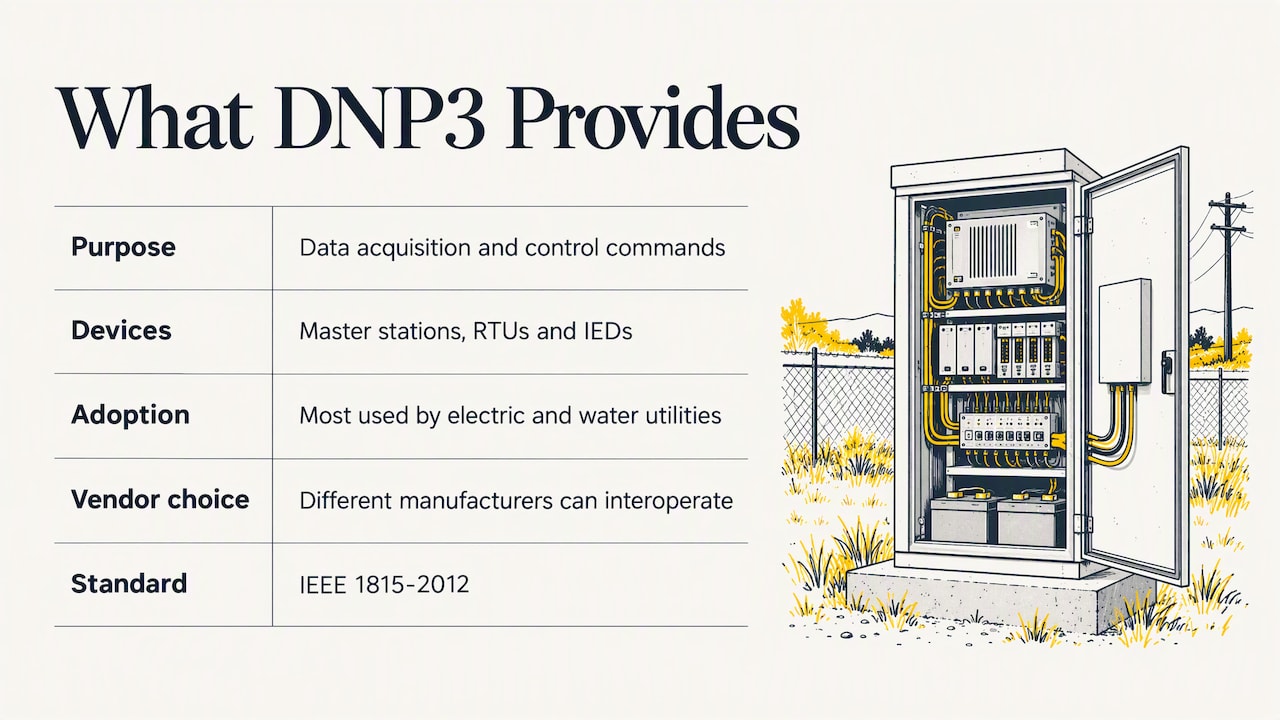
According to the DNP Users Group’s own primer, DNP3 is an open protocol that enables interoperability between master stations, RTUs and IEDs. It is designed to optimize the transmission of data-acquisition information and control commands from one computer to another. Electric and water utilities have used it the most.
The practical value is in the word “non-proprietary.” The same primer notes that DNP3 is available worldwide, so a utility can buy master-station and outstation equipment from different manufacturers and expect them to communicate reliably. You are not locked into one vendor’s ecosystem.
The protocol was developed for North American electrical-grid interoperability while IEC 60870-5 was still being developed, which explains why you still see it so often in US utility work. It is now standardized as IEEE 1815-2012.
Where the name comes from
“Distributed” refers to the layout: a central master and many remote outstations spread over a large area, sometimes connected by slow radio, leased lines or cellular links. DNP3 was designed for exactly that kind of geography, where a dropped packet or a noisy link is normal rather than exceptional.
How DNP3 works
Three ideas explain most of DNP3: its layers, its data model and its communication pattern.
Layers
DNP3 was originally designed around three layers of the OSI model: application, data link and physical. The primer describes a working architecture of Data Link, Transport and Application layers, with messages carrying headers and payloads that include error detection. The data link layer is what makes it tolerant of noisy media, since frames carry checks and can be confirmed or retried.
DNP3 also runs over IP networks. In that case the DNP3 messages ride inside TCP or UDP, which is how most new installations connect, while serial links remain common in older field networks.
Data model: groups and variations
This is the part that surprises PLC programmers. Instead of reading raw registers by address, DNP3 describes data as objects. Group and variation numbers identify valid data types and formats, which helps assure interoperability. A group tells you the kind of point (for example binary inputs, analog inputs or counters), and a variation tells you the format, such as whether a value comes with a quality flag or a timestamp.
The application layer is object-based, with objects for most generic data formats. The benefit is that the receiving device knows what the data means without a separate register map document. The cost is a steeper learning curve.
Masters and outstations
A typical network has one or more master stations and outstations, and either side can initiate a connection. Communication works in two main ways:
- Polling. The master asks for data, either everything (an integrity poll) or by class, for example only recent events.
- Unsolicited responses. The outstation reports on its own when something changes, without waiting to be asked.
DNP3 supports class polling, unsolicited responses, and limited multiple-master and peer-to-peer operation. It can address more than 65,000 devices on a single link.
The efficiency features matter on slow links. DNP3 can request or respond with multiple data types in one message, segment messages, and include only changed data in responses. A master that polls only for changes uses far less bandwidth than one that re-reads every point on every cycle.
What DNP3 is used for in SCADA
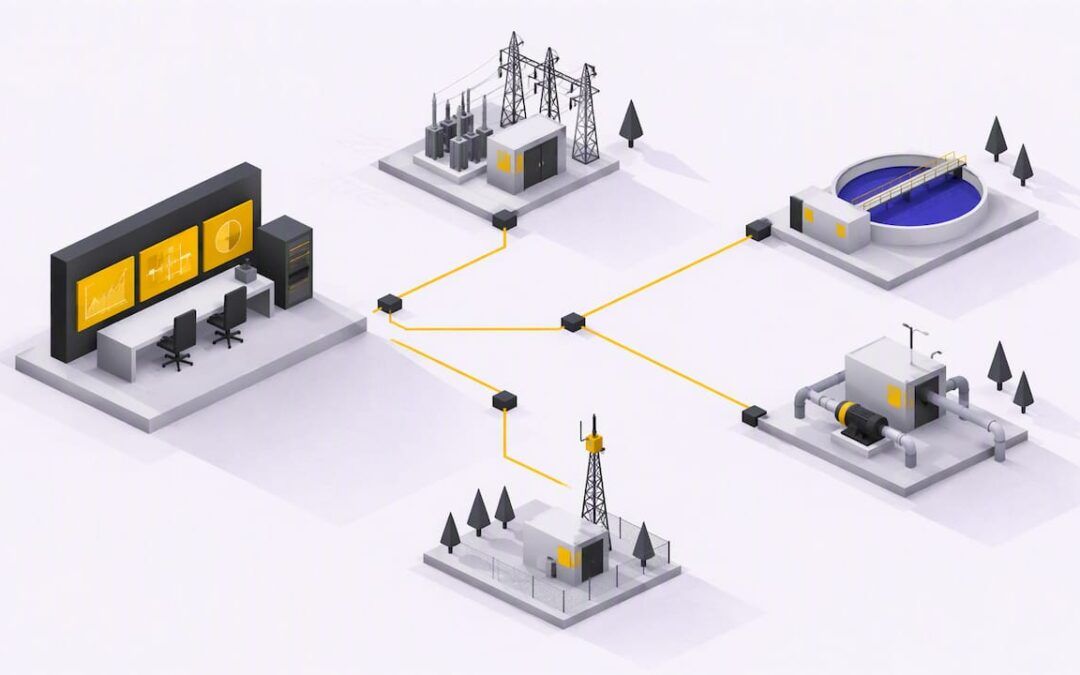
In a SCADA system, DNP3 is the language between the control center and the remote sites. Think of a water district with pump stations, tanks and valves spread across a county. Each site has an RTU or PLC acting as an outstation. The central SCADA server acts as the master, collecting levels, flows, alarms and breaker states, and sending commands such as start pump or open valve.
Is it still used? Yes. Beyond electric and water utilities, DNP3 has become widely used in water and wastewater, transportation, and oil and gas. Its IEEE standard and the continued work of the user group keep it current in utility procurement specifications, which is why you will keep running into it on utility projects.
DNP3 vs. Modbus
Readers often ask how DNP3 differs from Modbus TCP. Both move data between devices, but they were built for different situations.
| Feature | DNP3 | Modbus |
|---|---|---|
| Typical home | Electric and water utilities, remote SCADA | Factory floors, general industrial devices |
| Data model | Objects with group and variation numbers | Registers and coils addressed by number |
| Reporting | Polling plus unsolicited event reports | Master polls, devices respond |
| Changed-data reporting | Built in | Not built in |
| Complexity | Higher | Lower |
| Best fit | Distant sites, slow or unreliable links, event tracking | Simple local networks, quick integrations |
The short version: Modbus is simple and everywhere, which makes it quick to commission. DNP3 does more of the work for you when links are slow, when you care about which event happened first, or when a utility specification requires it. Industry comparisons commonly point to millisecond-level time stamping and deterministic event reporting as reasons utilities choose DNP3.
If you are connecting a few devices inside one plant over Ethernet, Modbus TCP or a native controller protocol is often enough. If your master is a utility SCADA or you have many remote sites on constrained links, DNP3 earns its complexity.
How to connect a PLC to SCADA
The words “PLC” and “SCADA” cover many setups, so start by deciding which protocol both ends share. Here is the process we would follow.
- Confirm what the PLC supports. Some controllers speak DNP3 natively. Others need a communication module, a gateway or a protocol converter. Check the manual of the exact model and firmware.
- Decide the roles. In DNP3 terms, the PLC is normally the outstation and the SCADA server is the master. Settle whether the master polls, the outstation sends unsolicited reports, or both.
- Set addresses. Each device gets a unique DNP3 address, and the master and outstation must each know the other’s address. A mismatch is the most common reason nothing communicates.
- Build the point list. List every tag the SCADA system needs: binary inputs, analog inputs, counters, and controls. Assign a group and variation to each, and decide scaling, deadbands and which points are events.
- Map PLC tags to DNP3 points. Link the logic in the controller to the outstation database so that a value or alarm in the program appears at the right point index.
- Configure the master. Enter the outstation address, the points, the polling intervals and the class assignments.
- Test against the spec. IEEE 1815 specifies DNP3 structure, operation and application levels, along with conformance test procedures. The DNP Users Group also supplies test procedures, security enhancements, implementer guidance and application notes. Use them when a vendor claims compatibility.
- Commission point by point. Force each input, confirm it appears on the screen, send each command, and confirm the field result.
When the PLC and SCADA do not share DNP3 at all, the same logic applies with another protocol. The steps of roles, addresses, point list, mapping and testing do not change. Only the driver does.
What to test before you call it done
- Communication loss. Unplug the link and see how fast the master flags the outstation as offline, and how it recovers.
- Event buffering. Create events while the link is down and check that they arrive, in order, when it returns.
- Time sync. Confirm timestamps match the real time of the event, not the time it was received.
- Command safety. Verify that a command only operates the intended output, and that failed commands show up as failures.
- Scaling. Compare a known analog value in the field, the PLC and the SCADA screen.
Security and troubleshooting
Plain DNP3 was designed for reliability on closed networks, not for hostile ones. Secure Authentication (DNP3-SA) authenticates messages and supports authenticity and integrity, but does not encrypt normal DNP3 messaging. Where you need encryption over IP, TLS can provide it.
Practical consequences:
- Do not expose a DNP3 outstation directly to the internet. Keep it behind a firewall, and limit which master addresses may talk to it.
- Segment control networks from office networks.
- Ask your vendor whether devices support Secure Authentication and TLS before you buy, not after.
When DNP3 does not work, check in this order:
- Physical link and IP settings, including routing and firewall rules.
- Link addresses on both sides, since master and outstation addresses are easy to swap.
- Serial or TCP settings, such as baud rate, parity or which side opens the connection.
- Point mapping: the right group, variation and index.
- Polling and unsolicited settings: if the outstation sends unsolicited data and the master has not enabled it, events never appear.
- A protocol analyzer capture, which shows exactly which request got which response.
Our perspective: learn the protocol, not just the screen
We teach PLC and HMI work every day, and the pattern we see is consistent. Engineers who learn a vendor’s software but not the communication model underneath get stuck the first time two systems have to talk. Protocol problems look like programming problems until you read the traffic.
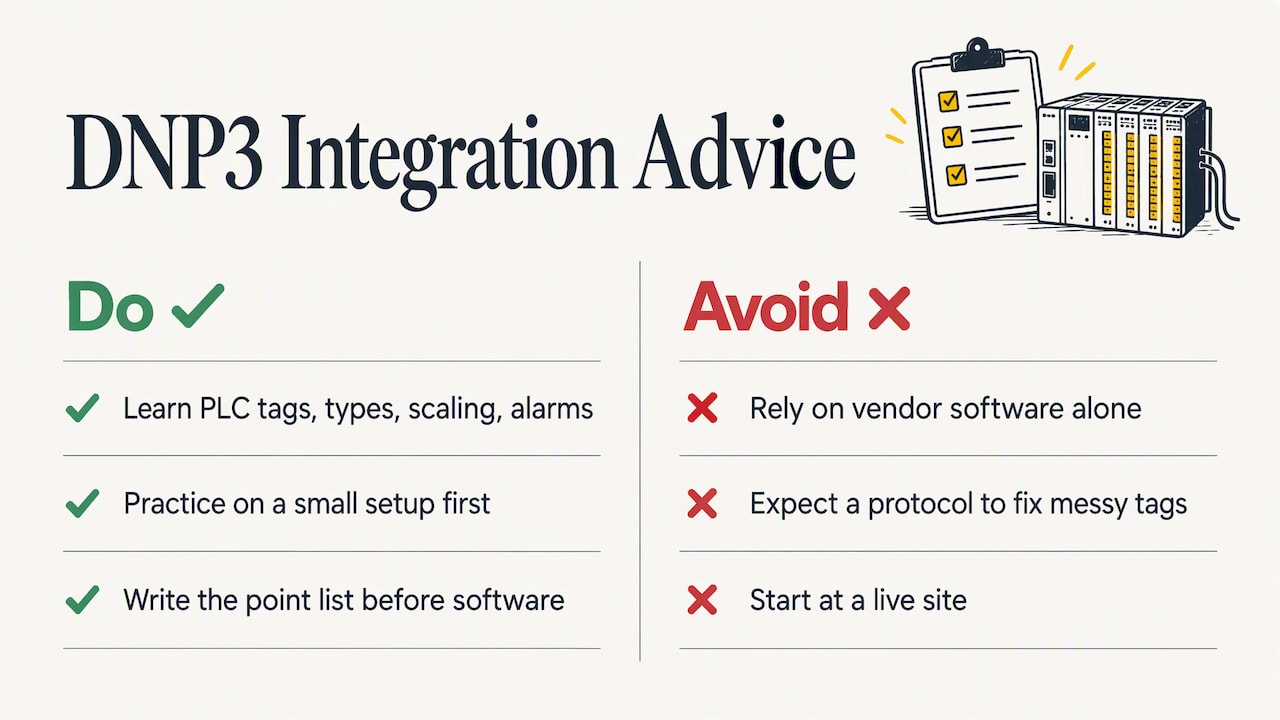
Our advice on DNP3 is simple. First, get comfortable with the PLC side: tag structure, data types, scaling and alarm logic. If your tags are clean, mapping them to DNP3 points is a bookkeeping task. If they are messy, no protocol will fix that. Second, practice on a small setup before a live site. A controller, a simulator and a master configured on a laptop will teach you more about class polling and event buffering than any datasheet. Third, write the point list before you touch the software. Most failed integrations we hear about come from unclear requirements, not bad drivers.
DNP3 is a specialty. Many controls engineers will never configure it, and that is fine. Yet when a water or power client asks for it, the person who understands it is the one who gets the project.
— User
Build the PLC skills that make SCADA integration easier
SCADA integration goes smoothly when the controller program underneath is well structured. Our Allen Bradley PLC training courses cover practical programming and troubleshooting in RSLogix 500, RSLogix 5000 and Studio 5000, plus FactoryTalk View for the HMI side.
If you are working on a real integration and want a second pair of eyes, you can book a 90-minute PLC coaching session for $97 and bring your tag list or your communication problem. Our Yearly PLC Training Membership is $192 per year if you prefer to learn on your own schedule.
FAQ
What is DNP3 in simple terms?
DNP3 is a standard language that remote devices and a central SCADA system use to exchange data and commands. It is built for long-distance, sometimes unreliable links, and it is used mostly by electric and water utilities. It is an open protocol, so equipment from different vendors can work together.
Is DNP3 the same as SCADA?
No. SCADA is the whole system for monitoring and controlling remote equipment, including software, servers, screens and networks. DNP3 is one of the protocols that SCADA system uses to talk to RTUs, IEDs and PLCs in the field.
Is DNP3 still used today?
Yes. It remains standard in electric and water utilities and is also used in wastewater, transportation, and oil and gas. It is covered by the IEEE 1815 standard, and utilities often name it in their equipment specifications.
Can a PLC use DNP3?
Some PLCs support DNP3 natively or through a communication module, and others need a gateway. Check the documentation for your exact controller model and firmware. In DNP3 terms, the PLC usually acts as the outstation and the SCADA server as the master.
Is DNP3 secure?
Not by default. Secure Authentication verifies that messages are genuine and unaltered, but standard DNP3 traffic is not encrypted. Use TLS over IP networks where encryption is needed, and keep devices behind firewalls on segmented networks.
Sources
- A DNP3 Protocol Primer
- Features of DNP3
- Overview of DNP3 Protocol
- DNP3 protocol (ABB)
- DNP3 protocol, message features (ABB)
- DNP3 on Wikipedia
- IEEE 1815-2012 standard page
- IEEE 1815 (DNP3) tutorial
- DNP3 Secure Authentication (EPRI)
- DNP 3.0 vs Modbus comparison