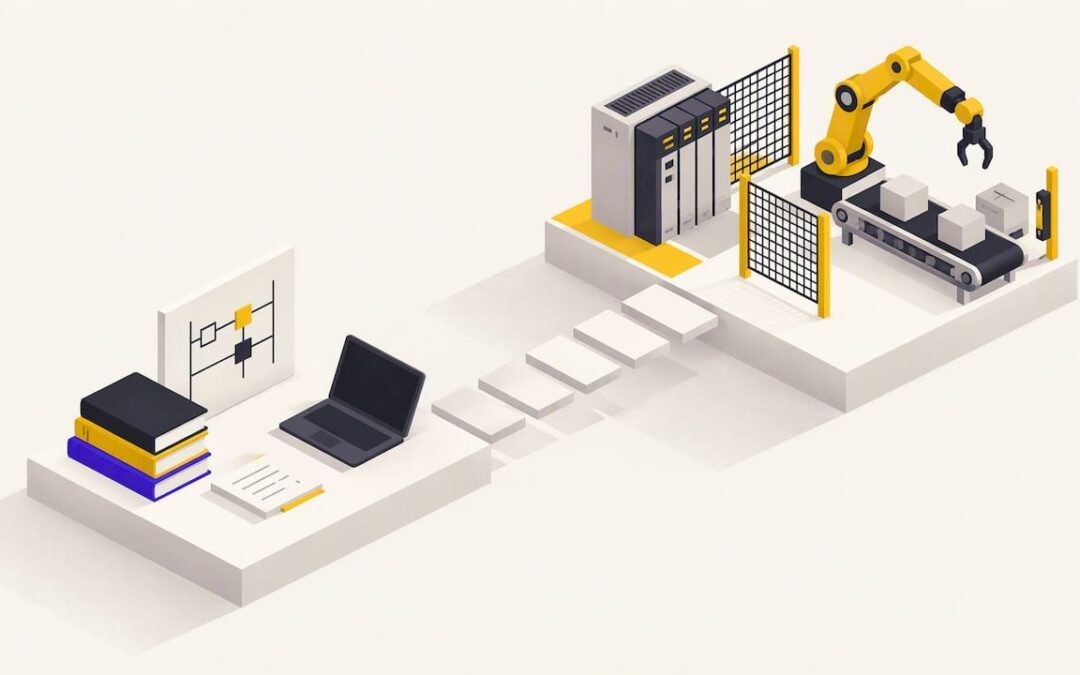
Good industrial automation training teaches you to read electrical diagrams, program a PLC, build an operator screen, and troubleshoot a running machine. It does this on the same software and hardware families you will meet on a plant floor. Start with PLC fundamentals and basic electrical knowledge. Add HMI, drives and motion once you can write and debug a program. Choose a format that matches your role: a degree or certificate for a first career, focused online courses and coaching for working technicians and engineers, and structured team plans for companies.
This guide covers what the training includes, what to know before you start, a step-by-step learning path, how to get hands-on practice online, and how to choose for your role.
TL;DR
- Industrial automation training covers wiring and I/O, PLC programming, HMI configuration, drives, and systematic troubleshooting.
- Basic electrical knowledge (Ohm’s Law, AC/DC circuits) and computer literacy make every course easier.
- Learn in order: PLC fundamentals, wiring and I/O, HMI, drives and motion, then integration.
- Online training works when it gives you real software, real exercises and a way to get questions answered.
- Finishing a course does not authorize you to change a live controller at work. Follow your employer’s procedures.
Table of Contents
- What industrial automation training actually covers
- What to know before you start
- A learning path that works
- Troubleshooting: the skill employers pay for
- Getting hands-on practice online
- How to choose training for your role
- Comparing the main training formats
- Perspective: why we teach it this way
- Online PLC Support training and coaching options
- FAQ
- Sources
What industrial automation training actually covers
Industrial automation is the control of machines and processes: a conveyor that stops when a photo-eye sees a jam, a filler that counts bottles, a pump station that holds pressure. Training teaches the skills behind that control. A professional skills standard from WorldSkills describes the work of an industrial control practitioner as installing conduits, cables, instruments, I/O devices and PLCs, designing circuits, programming PLCs, parametrizing bus systems, configuring HMIs and troubleshooting problems. That list is a useful checklist for any curriculum you consider.
In practice, the topics break down like this:
| Area | What you learn | Why it matters |
|---|---|---|
| Electrical basics | Ohm’s Law, AC/DC circuits, reading schematics, using a multimeter | Most faults are electrical, not logical |
| PLC programming | Ladder logic, timers, counters, data types, program structure | The core of nearly every control system |
| I/O and wiring | Sensors, relays, discrete and analog signals, power distribution | Connects the program to the machine |
| HMI | Screens, alarms, navigation, tag connections | What operators see and touch |
| Drives and motion | VFDs, parameters, servo axes, motion instructions | Moves product accurately and efficiently |
| Networking | Industrial Ethernet, fieldbus, device communication | Lets controllers, drives and screens talk |
| Troubleshooting | Diagnostics, fault isolation, reading program status online | Keeps the plant running |
SCADA and supervisory systems sit above this stack, and many programs touch them near the end. Most people get the most value from mastering the first five rows before moving up.
Software and platforms you will meet
In North American plants, Allen-Bradley controllers from Rockwell Automation are very common, so training built around RSLogix 500, RSLogix 5000 and Studio 5000 maps directly onto many jobs. Operator screens are built in tools such as FactoryTalk View. Other regions and industries lean on other vendors. The concepts of scan cycle, tags, rungs and I/O transfer from one platform to another, so learn one platform well before spreading out.
What to know before you start
You do not need an engineering degree, but a few foundations speed you up. One industry knowledge base recommends that learners arrive with basic electrical knowledge such as Ohm’s Law and AC/DC circuit theory, computer literacy, and the ability to read technical documentation. If any of those feel shaky, spend a few weeks on them first. Three questions help you check readiness:
- Can you explain voltage, current and resistance and use them in a simple calculation?
- Can you tell a normally open contact from a normally closed one on a drawing?
- Are you comfortable installing software, managing files and following a manual?
When you compare courses, check whether a course explains concepts from the start or assumes earlier electrical, maintenance or programming experience. A beginner who lands in an advanced class gets frustrated, and an experienced technician in a beginner class gets bored. Our own ladder logic tutorial for beginners is a good way to test where you stand.
A safety note for learners
A training exercise is not permission to modify equipment. Course completion alone does not establish a license, employer approval or readiness for unsupervised work, and a training exercise does not authorize changes to a workplace controller. On the job, follow your site’s lockout/tagout, change-management and authorization rules, and ask your supervisor or controls engineer before touching a running program.
A learning path that works
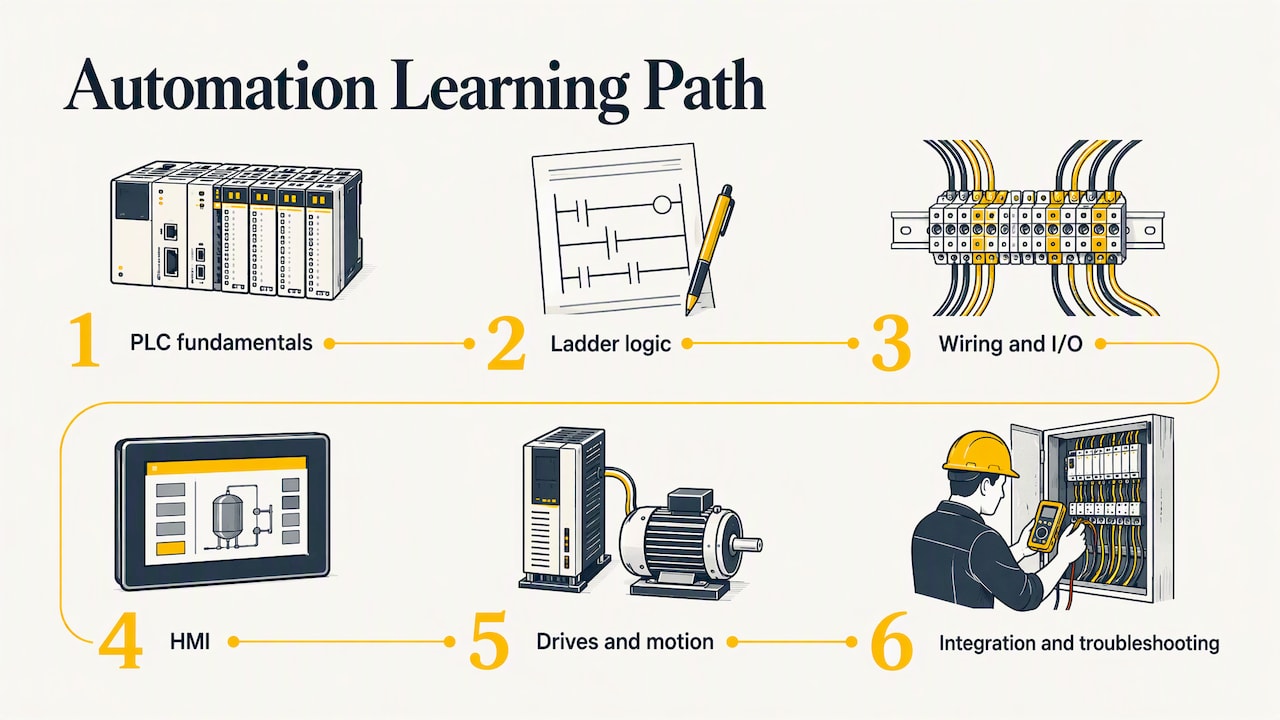
The order matters. Each step gives you something to attach the next one to. The sequence below follows the progression that most practical curricula use: PLC fundamentals first, then wiring and I/O, HMI, drives, SCADA and integration.
Step 1: Understand what a PLC does
A programmable logic controller reads inputs, runs your program, and writes outputs, over and over, many times a second. Before writing logic, learn that cycle, plus how memory, tags and I/O addressing work. Our overview of what programmable logic control is walks through it in plain terms.
Step 2: Write ladder logic
Ladder logic looks like a relay diagram, which is why electricians pick it up quickly. Start with a start/stop motor circuit with a seal-in, then add timers and counters. A classic exercise is a traffic light sequence, because it forces you to think about timing and state. We built a video version as our Allen-Bradley traffic light exercise.
Step 3: Learn wiring and I/O
A program that works in software can still fail because a sensor is wired sinking when the card expects sourcing. Learn discrete versus analog signals, 24 VDC control power, relay outputs, and how to read a panel drawing. This step is where electrical basics pay off.
Step 4: Build an HMI
An HMI turns tags into buttons, indicators, trends and alarms. Good HMI training covers screen layout, alarm handling and tag linking, not just drawing pictures. If you work on Allen-Bradley systems, see our FactoryTalk View HMI programming resources.
Step 5: Add drives and motion
Variable frequency drives and servo axes are everywhere in packaging, conveying and assembly. Learn drive parameters, start/stop and speed control over a network, then move to servo homing, jogging and coordinated moves. Our courses on the PowerFlex 525 and servo motion cover this stage.
Step 6: Integrate and troubleshoot
The last step ties everything together: networks, diagnostics, and a method for finding faults. This is also where SCADA and plant-level data come in if your job needs them.
A note on hobby boards
Small hobby boards are fine for a first taste of programming. But voltage levels, noise immunity, scan-cycle behavior and safety practices differ in industrial work, so toy platforms do not transfer cleanly to plant controls. Use them for curiosity, then move to industrial software and hardware concepts as early as you can.
Troubleshooting: the skill employers pay for
Programming gets attention, but maintenance teams are judged on how fast they restore production. The WorldSkills standard lists the abilities involved: troubleshooting control loops systematically, interpreting diagrams and symbols, using a multimeter, applying PLC and fieldbus diagnostics, and using tools or software to isolate faults.
A repeatable method looks like this:
- Define the symptom. What is the machine doing, and what should it be doing?
- Check the obvious. Power, air, e-stops, guards, tripped breakers.
- Go online with the PLC. See which condition in the rung is false, and trace it back to an input or a tag.
- Verify the field device. Is the sensor really on? Measure it, do not assume.
- Fix, test, document. Record what changed so the next shift knows.
Training that uses real faults and real program examples builds this habit much faster than slides do. That is the heart of how we teach: we work from realistic machine scenarios rather than abstract syntax lists.
Getting hands-on practice online
The fair worry about online training is the lack of a physical panel. You can still get meaningful practice if the program has these elements:
- Real programming software. Work in the same environments used in industry, such as Studio 5000, so your muscle memory transfers.
- Exercises with a purpose. A sorting line, a tank level loop, a motor starter with fault handling, each with a clear pass/fail.
- Video you can pause. Watching an engineer build a program in real time, then repeating it yourself, is how most people learn the software.
- Access to a person. Questions block progress. One-on-one coaching lets you share your screen and your own program, which no recorded lesson can do.
- Reference material you can return to. On the job you will forget syntax and need to look it up.
Simulation tools and emulators also exist for practicing logic without hardware, and an inexpensive small PLC on your desk adds a physical element. Whichever route you choose, the goal is the same: write, run, break and fix programs yourself.
How to choose training for your role
If you are starting a career
For the technician track, formal education has weight. The U.S. Bureau of Labor Statistics says industrial engineering technologists and technicians typically need an associate’s degree or a postsecondary certificate. Community college automation programs and certificate tracks are a strong foundation, and skills-based online courses can fill gaps in PLC and HMI software that degree programs touch only lightly. Broader technical education pathways, including industry-focused career training academies, are also worth reviewing if you want to combine credentials with practical projects.
If you are a maintenance technician
You already know the machines. What you probably need is the ability to go online with the controller, read the logic and find the fault without waiting for an engineer. Look for troubleshooting-heavy content and vendor-specific software training for the platform in your plant.
If you are an engineer
You need structured programming, good tag and routine design, HMI standards, and motion control. Short, deep courses on a single topic, like servo axes or drive integration, often beat broad surveys. See our servo motion training if motion is your next project.
If you are a student
Pair coursework with practical projects. A portfolio of programs you built and documented, such as a conveyor sequence and a matching HMI, shows more than a certificate alone. Our guide for engineers programming PLC controls shows what real project structure looks like.
If you lead a team
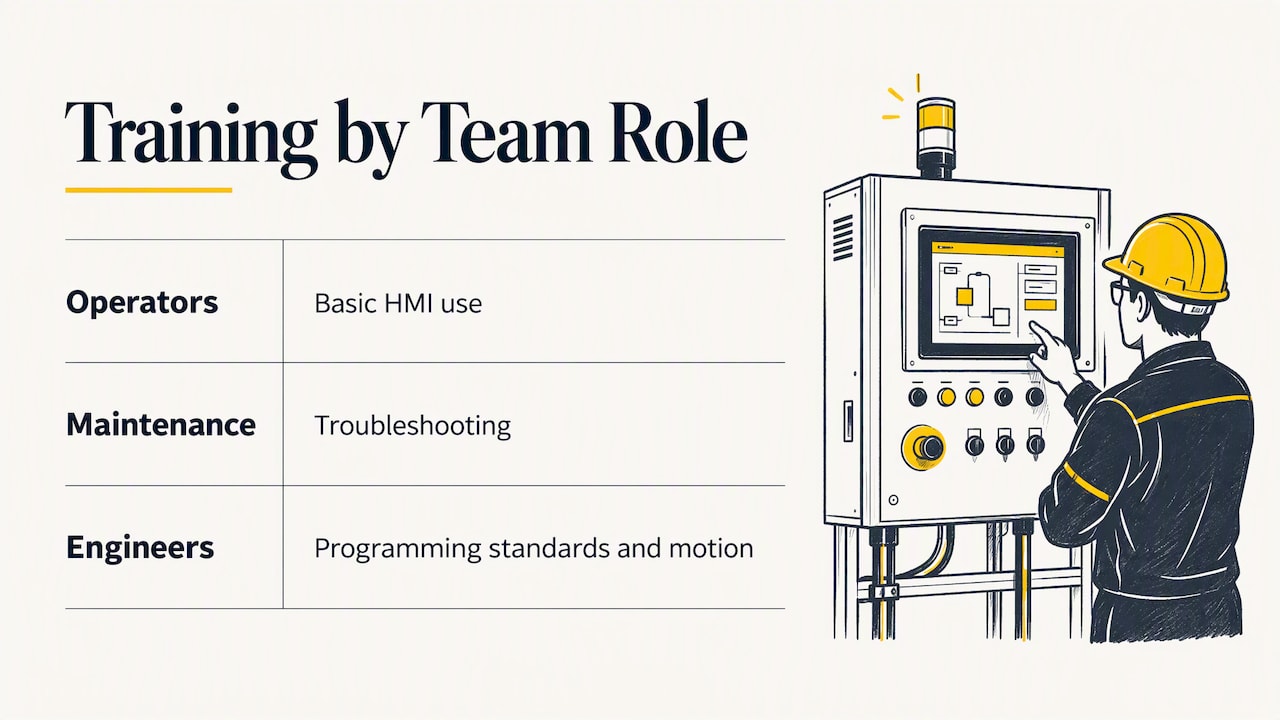
Companies close skill gaps best by mapping each person’s role to a path: operators to basic HMI use, maintenance to troubleshooting, engineers to programming standards and motion. Give people access to a shared library of training so they can repeat lessons when a machine fault happens months later, and add coaching sessions for plant-specific questions. We offer a yearly membership and project programming services that teams can combine: training to build in-house skill, and programming help for projects that cannot wait.
Comparing the main training formats
| Format | Best for | Strength | Watch for |
|---|---|---|---|
| Degree or certificate program | New entrants | Recognized credential, lab access | Time and tuition, fixed schedule |
| Instructor-led live class | Teams on one site or schedule | Immediate Q&A | Cost, travel or set dates |
| On-demand video courses | Working professionals | Self-paced, repeatable | Needs self-discipline |
| One-on-one coaching | Specific problems or projects | Personal, uses your own program | Best when you arrive with questions |
| Vendor documentation and free videos | Reference | Free and accurate | No structure |
Most successful learners combine two or three of these: a structured course for the path, free content for quick answers, and coaching when they get stuck.
Perspective: why we teach it this way
We started Online PLC Support because we saw capable people stuck between two bad options: generic courses that never touch real equipment, and expensive classes that few can afford. Our view is that automation skills come from seeing real examples, building real programs and having someone explain why a program works, not just how to type it.
That is why our content centers on industry-standard software like RSLogix 500, RSLogix 5000, Studio 5000 and FactoryTalk View Studio. It is why we pair video tutorials with optional coaching, and why we keep material current as the tools change. We design our training to be practical, cost-effective and accessible for all skill levels, from a student writing a first rung to an engineer tuning a servo axis.
If you want confidence on the plant floor, learn in the order the machine works: inputs, logic, outputs, then screens, drives and motion. Practice on real software, ask questions early, and build things.
the author
Online PLC Support training and coaching options
If you are ready to start, here is what we offer and what it costs, as published on our site:
- Allen-Bradley PLC training, PowerFlex 525, FactoryTalk View ME and servo courses: browse the full list on our PLC training page.
- 90-minute PLC coaching session: $97 per session, ideal for working through your own program or a specific problem. See the coaching session details.
- Online PLC coaching: from $67 per session on the online coaching page.
- Yearly PLC training membership: $192 per year.
- PLC programming services: $140 per hour, or fixed-scope project blocks of 10 hours at $1,400 and 20 hours at $2,800.
Not sure where to start? Book a coaching session, tell us your role and your plant’s platform, and we will point you to the right first course. You can read what other learners say on our testimonials page.
FAQ
How long does industrial automation training take?
It depends on the goal. A focused course on a single skill, such as ladder logic or a drive, can take days or weeks of part-time study. A degree or certificate program typically runs for one or two years. Most working technicians build skill steadily over months by combining courses with hands-on projects.
Can I learn industrial automation online?
Yes, for the software and logic side, provided the training uses real programming software, includes exercises, and gives you a way to ask questions. Pair it with practice on actual equipment at work or a small training PLC when possible. Recorded lessons plus one-on-one coaching is a strong combination.
Do I need a degree to work in industrial automation?
Not always, but credentials help. The Bureau of Labor Statistics notes that industrial engineering technicians typically need an associate’s degree or postsecondary certificate. Many maintenance and controls roles also value demonstrated skills, so a mix of education and practical projects works well.
Which PLC platform should I learn first?
Learn the platform used where you work or want to work. In many U.S. plants that is Allen-Bradley, so Studio 5000 and RSLogix training is a practical choice. The core ideas of scan cycle, tags and ladder logic carry over to other brands.
Can a course qualify me to change a live PLC program?
No. A course builds skill, but authorization comes from your employer and its procedures. Always get approval and follow lockout and change-management rules before touching a running controller.
Sources
- WorldSkills: Industrial Control technical description
- Automation Training Roadmap: PLC, HMI, Drive & SCADA
- Automation Learning Roadmap: Electronics to Robotics
- Your First PLC Course: Check the Prerequisites
- U.S. Bureau of Labor Statistics: Industrial Engineering Technologists and Technicians